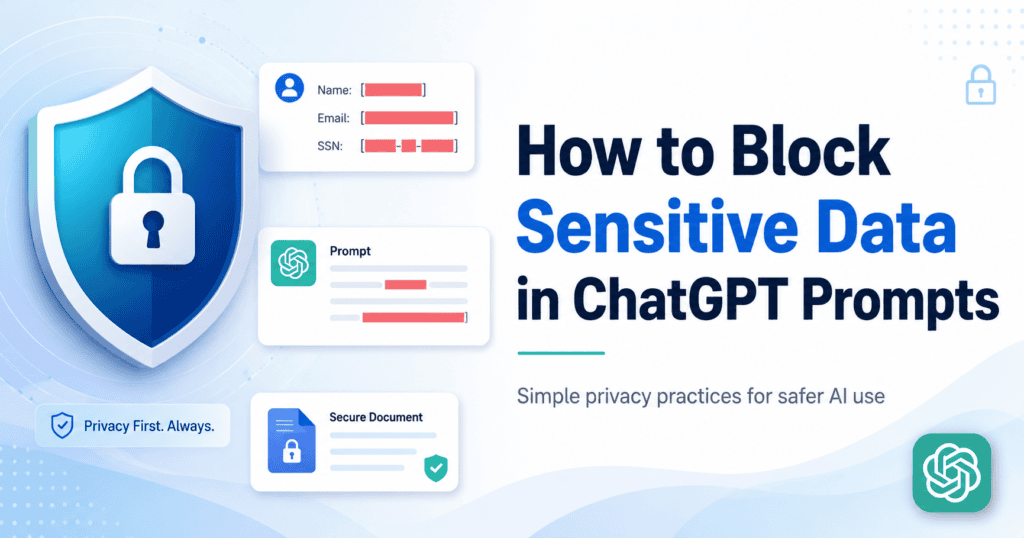
Generative AI can accelerate research, writing, coding, customer service and decision-making. It can also create a fast, low-friction path for confidential information to leave the organization when employees paste data into public or unmanaged AI tools. The answer is not a blanket ban. The answer is a governed AI environment that combines approved platforms, data loss prevention, identity controls, prompt inspection and clear operating policies.
This enterprise guide explains how to prevent data exfiltration to generative AI while still allowing teams to use AI productively. It also provides a practical 30-60-90-day implementation roadmap for security, IT and business leaders.
What Is Generative AI Data Exfiltration?
Generative AI data exfiltration occurs when confidential, personal, regulated or proprietary information is submitted to an AI service without appropriate authorization, protection or oversight. The disclosure may be accidental, policy-driven or malicious, but the security consequence is the same: information has crossed an organizational boundary outside the controls originally applied to it.
Risk varies by provider, account type, privacy settings and contract. For example, OpenAI states that business products do not use organizational inputs and outputs for training by default, while consumer services may have different data-use settings. Google likewise explains that enterprise-grade protections for Gemini depend on the Workspace edition and whether Gemini is provided as a core service. Organizations should therefore govern the exact service, account and configuration—not simply the brand name.
| Security principle: treat every AI prompt, file upload, screenshot, connected app and generated workflow as a potential data transfer. Approve the transfer only when the destination, purpose, identity and data classification are known. |
Why Traditional Security Tools Often Miss AI Data Leakage
Traditional data-loss programs were designed around email, removable media, file sharing and known cloud applications. AI usage can bypass those assumptions because the user may paste a small fragment into a browser, upload a file to an unsanctioned tool or use a personal account over an encrypted connection. The transaction may look like ordinary web traffic even though the content contains source code, customer records or strategic information.
The NIST Generative AI Profile recommends managing generative AI risk across governance, mapping, measurement and ongoing management. The OWASP Top 10 for LLM Applications also identifies sensitive information disclosure as a major LLM security risk. These frameworks reinforce an important point: AI data protection is not a single firewall rule. It is a layered governance and control problem.
The Most Common Generative AI Data Exfiltration Scenarios
- Document summarization: Employees paste contracts, board papers, financial reports, proposals or internal policies into an AI tool to create a summary.
- Email and proposal drafting: Sales, support or account teams submit customer history, pricing, complaints and negotiation details to generate replies.
- Source-code assistance: Developers share proprietary code, API keys, database schemas, logs, configuration files or infrastructure details for debugging.
- Data analysis: Analysts upload spreadsheets or exports containing personally identifiable information, salaries, transactions or supplier data.
- Translation and transcription: Legal, HR and executive teams process confidential meetings, employment records or commercial agreements through unapproved services.
- Screenshots and browser context: AI assistants may receive screen captures, copied dashboard data or page context that exposes information beyond the user’s immediate question.
- Connected applications: AI tools connected to email, cloud storage, CRM or collaboration systems may access a much larger data set than the user realizes.
Seven Controls to Prevent Data Exfiltration to Generative AI
1. Discover Shadow AI and Classify the Risk
You cannot govern AI usage you cannot see. Begin with an inventory of AI websites, browser extensions, desktop applications, mobile apps, API integrations and embedded AI features already used across the organization. Combine network telemetry, endpoint data, identity logs, expense records and employee surveys to identify sanctioned and unsanctioned tools.
Classify each tool by business purpose, account type, data-handling terms, retention, training policy, connected applications, geographic processing, auditability and administrative control. Prioritize high-risk use cases involving customer information, source code, credentials, payment data, health information or confidential commercial records.
2. Provide an Approved Enterprise AI Platform
Employees often use public AI tools because the approved alternative is unavailable, slow or difficult. Give teams a practical, centrally managed AI environment with clear use cases, approved models and administrative oversight. An approved platform should support identity management, role-based access, usage visibility, prompt governance, logging and configurable security policies.
NexTek’s GPTCor enterprise AI platform is designed to centralize secure AI access, prompt governance, logging, data protection and business automation in one controlled environment. A secure AI gateway reduces dependence on scattered personal accounts and gives administrators a consistent enforcement point.
3. Enforce Identity, SSO and Role-Based Access
AI permissions should follow the same identity principles used for ERP, finance and customer systems. Require corporate identities, multi-factor authentication and single sign-on where supported. Assign access by role, department, location, employment status and data sensitivity. Contractors and third parties should receive narrower permissions, shorter access periods and stronger monitoring.
Separate users who only need general drafting from teams that need approved access to internal knowledge or sensitive workflows. Avoid shared accounts because they remove accountability and make incident investigation difficult.
4. Inspect Prompts, Files and Responses with AI-Aware DLP
Network controls reveal where users are connecting; AI-aware data loss prevention reveals what they are sending. Inspect prompts, copied text and uploaded files for personal data, financial records, source code, secrets, credentials, intellectual property and custom classification patterns before content leaves the approved boundary.
Depending on risk, the control can warn the user, redact sensitive values, block the submission, require justification, route the request for approval or create a high-severity alert. Microsoft describes using Purview data security and compliance controls for generative AI to manage AI-related data risks. The same principle applies across technology stacks: extend existing DLP policies to AI prompts and uploads rather than building a disconnected control set.
5. Apply Endpoint, Browser and Network Controls
Use secure web gateways, DNS filtering, firewall categories and browser controls to block high-risk services and steer users toward approved tools. On managed endpoints, restrict copying from classified applications, prevent uploads of protected files and control unapproved browser extensions. For remote and bring-your-own-device access, combine conditional access, mobile device management and device-compliance requirements.
Do not rely on blocking alone. Users can switch devices, networks or services. Network controls work best as one layer in a broader model that includes identity, DLP, approved alternatives and user education.
6. Minimize, Mask and Tokenize Data Before AI Processing
The safest sensitive data is data the model never receives. Build workflows that remove names, account numbers, credentials and unnecessary fields before a prompt is submitted. Replace real identifiers with tokens, use synthetic examples for testing and retrieve only the minimum approved context required for the task.
For retrieval-augmented generation, enforce document-level permissions and prevent the AI layer from returning content the requesting user could not access in the source system. Data minimization reduces both accidental disclosure and the impact of a compromised account or misconfigured integration.
7. Log, Monitor and Respond to AI Security Events
Maintain auditable records of approved AI usage, including user identity, application, timestamp, policy decision, model, data classification and security event. Forward relevant events to the SIEM and connect them to insider-risk, incident-response and e-discovery processes. OpenAI, for example, provides enterprise compliance capabilities that can support audit and security workflows for qualifying customers.
Define an AI-specific incident playbook. It should answer: What data was submitted? Which provider and account were used? Was the content retained or shared? Can it be deleted? Which customers or regulators require notice? What controls must change to prevent recurrence?
Governance Foundations That Make Technical Controls Work
- An acceptable AI use policy that names approved tools and prohibited data classes.
- A clear data-classification scheme employees can apply without legal interpretation.
- Role-specific training for developers, finance, HR, sales, legal and executives.
- An AI application approval process covering security, privacy, procurement and legal review.
- Vendor due diligence for data use, retention, subprocessors, location, breach handling and deletion.
- A documented exception process with an owner, expiry date and compensating controls.
- Quarterly review of new tools, connected apps, policies and regulatory obligations.
Regulated organizations should map these controls to the requirements that apply to their sector and geography. The GDPR requires appropriate technical and organizational security measures; the HIPAA Security Rule requires administrative, physical and technical safeguards for electronic protected health information; and PCI DSS establishes requirements for protecting payment account data. Obtain legal and compliance advice for your specific obligations rather than treating AI governance as a generic checklist.
A Practical 30-60-90 Day AI Data Protection Roadmap
First 30 Days: Identify and Contain
1. Assign an executive owner and cross-functional AI governance team.
2. Discover the most-used AI tools, accounts, extensions and integrations.
3. Publish an interim rule: do not submit confidential, personal, regulated or credential data to unapproved AI services.
4. Block the highest-risk tools and create an approved-tool list.
5. Enable logging for corporate AI accounts and begin focused employee training.
Days 31-60: Standardize and Protect
1. Deploy or configure an enterprise AI platform or secure AI gateway.
2. Integrate SSO, MFA, role-based access and lifecycle management.
3. Extend DLP and data-classification policies to prompts, files and browser uploads.
4. Define approved use cases by department and data classification.
5. Create an incident-response process for AI-related disclosure events.
Days 61-90: Measure and Improve
1. Send AI security events to the SIEM and establish severity thresholds.
2. Measure adoption, blocked submissions, warning overrides, shadow AI reduction and incident trends.
3. Review vendor contracts, retention settings, connected apps and data residency.
4. Run a tabletop exercise involving accidental disclosure of customer or source-code data.
5. Refine policies and expand approved workflows based on real employee needs.
How GPTCor Supports Secure Enterprise AI Adoption
A secure AI program works best when the approved experience is easier than the unsafe alternative. GPTCor by NexTek gives organizations a centralized environment for AI access, administrative control, prompt governance, usage visibility, logging and business automation. This helps reduce shadow AI while giving teams a practical tool for drafting, summarization, customer support, internal knowledge and operational workflows.
NexTek can help assess current AI usage, identify high-risk data flows, define governance policies and plan a controlled rollout. Learn more about NexTek, review common implementation questions in the NexTek FAQs, or contact NexTek to discuss a secure AI governance roadmap.
Frequently Asked Questions
Can generative AI data exfiltration be completely prevented?
No control can guarantee complete prevention, especially when users have personal devices and external networks. The realistic objective is to eliminate most accidental disclosure, reduce opportunities for deliberate misuse and make high-risk activity visible, controlled and auditable.
Should an enterprise block ChatGPT, Gemini and every public AI tool?
A universal ban is usually difficult to sustain and can drive usage underground. A stronger approach is to provide approved enterprise tools, block or restrict unapproved services, inspect sensitive content and train users on permitted use cases.
Are business AI subscriptions automatically safe for confidential data?
Business plans often provide stronger privacy, security and administrative controls, but organizations must still review the exact contract, account configuration, retention settings, integrations and intended data types. No subscription removes the need for governance and data minimization.
What is shadow AI?
Shadow AI is the use of AI applications, accounts, browser extensions or integrations without formal approval or visibility from IT, security, privacy or procurement teams.
How can companies stop source code from leaking into AI tools?
Use approved developer AI services, secret scanning, code-aware DLP, endpoint controls, repository permissions, user training and policies that prohibit submitting credentials, proprietary modules or production data to unapproved models.
What should happen after an employee submits sensitive data to an AI tool?
Treat it as a potential security incident. Identify the data, user, tool, account and recipients; preserve logs; determine whether deletion or provider support is available; assess legal and contractual obligations; and correct the control gap that allowed the disclosure.
How does a secure AI gateway reduce risk?
A secure AI gateway centralizes access to approved models and creates a policy enforcement point for identity, logging, prompt inspection, data protection, usage monitoring and cost control.
Build AI Productivity Without Losing Control
Generative AI data security is not achieved by a single product or a one-time policy. It requires an operating model that combines useful approved tools with enforceable controls. Start by discovering shadow AI, classify the data at risk, provide a secure enterprise alternative, inspect prompts and files, and measure the program continuously.
| Ready to reduce AI data leakage and give your teams controlled access to generative AI? Book a GPTCor consultation with NexTek and build a secure, compliant and scalable AI adoption roadmap. |
Authoritative References
- NIST AI Risk Management Framework: Generative AI Profile
- OWASP Top 10 for Large Language Model Applications
- OpenAI Enterprise Privacy
- Google: Gemini Apps with a Work or School Account
- Microsoft Purview protections for generative AI apps
- EU General Data Protection Regulation
- HHS HIPAA Security Rule
- PCI Data Security Standard