Employees do not set out to leak data. When a finance analyst pastes a revenue spreadsheet into ChatGPT to generate a summary, or a developer shares an API key embedded in a code snippet for debugging help, the intent is purely productive. The outcome, however, can be a serious data exposure incident.
The ability to block sensitive data in ChatGPT prompts — before it reaches the model — is one of the most impactful controls an enterprise can deploy today. This article explains how that works, what it protects against, and how to implement it without disrupting your team’s workflow.
Traditional data loss prevention tools were built to monitor file transfers, email attachments, and endpoint activity. ChatGPT and similar public LLMs introduce a fundamentally different exposure vector: unstructured conversational text that moves through HTTPS connections, bypasses most legacy DLP systems, and gets processed on external infrastructure that your organization does not control.
The risk is compounded by speed. A prompt is submitted in a keystroke. There is no review process, no approval workflow, and no second chance once the data leaves your network.
What Types of Data Are Most at Risk?
Personally identifiable information (PII): Names, national ID numbers, passport details, employee records
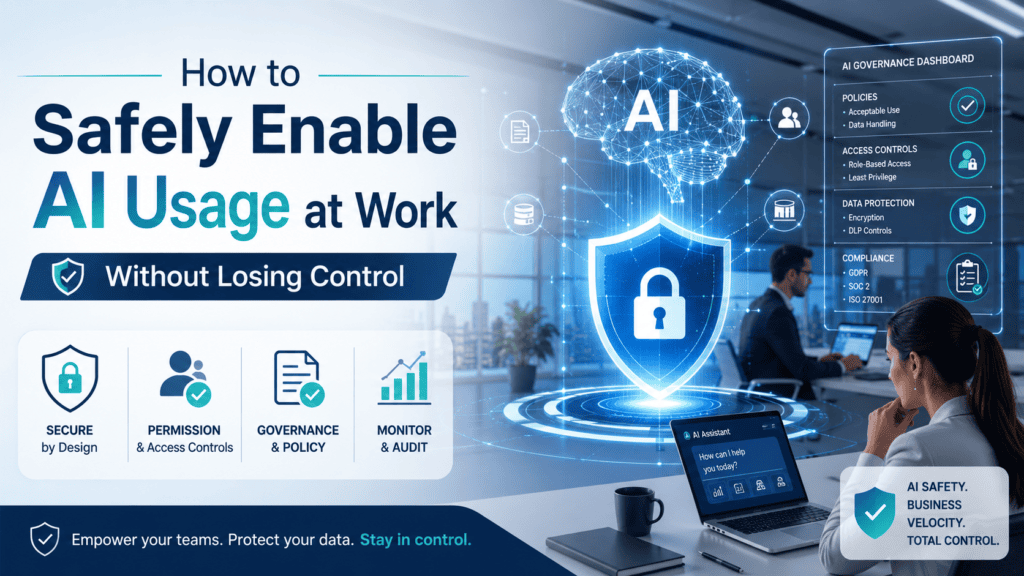
Modern AI governance platforms intercept user prompts before they are submitted to the LLM. The interception layer inspects the text against a set of configurable rules — pattern matching for known data formats, keyword detection, data classification labels, and custom organizational policies.
When a match is detected, the system has several enforcement options:
Block: The prompt is rejected entirely and the user sees a policy notification
Mask: The sensitive element is redacted or replaced with a placeholder before the prompt reaches the model
Alert: The prompt is allowed but a security alert is raised for compliance review
Log: The prompt is recorded for audit purposes without blocking access
The right enforcement action depends on the data type, the user’s role, and the organization’s risk tolerance. A developer sharing code may trigger masking of credentials only, while a finance user sharing client data may trigger an outright block.
Discover:
Implementing Prompt Filtering: Key Considerations
Define Your Sensitive Data Categories First
Before any technical control can be deployed, your organization needs a clear classification of what constitutes sensitive data. Work with legal, compliance, and department heads to define categories — then translate those definitions into detection rules.
Use Context-Aware Detection, Not Just Pattern Matching
Simple regex pattern matching catches obvious formats like credit card numbers or passport IDs. But much sensitive business data does not follow a standard pattern. Advanced prompt inspection uses contextual analysis to identify sensitive content even when it is expressed in natural language — a paragraph describing a client acquisition, for example, even without numbers or named fields.
Integrate With Your Existing DLP and SIEM Stack
Prompt filtering should not operate in isolation. NexTek helps organizations integrate AI-specific controls with existing security infrastructure — feeding alert data into SIEM platforms, correlating with user identity and access management systems, and generating unified compliance reports across all data channels.
Communicate the Policy to Employees
Blocking a prompt without explanation frustrates users and erodes trust. A well-designed implementation includes clear, user-friendly messaging that explains why a prompt was flagged and what the employee should do instead — whether that is using an approved internal AI tool, removing the sensitive element, or requesting a compliance review.
Frequently Asked Questions
Does prompt filtering slow down the AI tool significantly?
Minimal latency is introduced — typically under 100 milliseconds for standard content inspection. Users will not notice any meaningful delay in their workflow. However, very large document pastes may add slightly more processing time depending on the inspection method used.
Can filters be bypassed by clever rephrasing?
Basic keyword filters can be worked around, which is why effective solutions combine pattern matching, contextual analysis, and behavioural signals. Advanced platforms also monitor for obfuscation attempts, such as encoding sensitive data in unusual formats, and escalate these as higher-risk events.
How do we handle false positives without annoying employees?
Tuning is critical. Start with a detection-only mode to identify your false positive rate before enforcing blocks. Most enterprise deployments spend the first two to four weeks calibrating rules to reduce noise before switching to blocking mode. A user-friendly appeals process also helps maintain employee trust.
Is filtering applicable to internal AI tools as well as public ones?
Yes — and it should be. Even internal AI deployments connected to corporate data can benefit from prompt inspection, particularly where access control over the underlying data is not perfectly aligned with organizational data classification policies.
Ready to Get Started?
Need to stop sensitive data from reaching public AI tools? Contact NexTek today to explore secure, compliant, and scalable AI governance solutions for your organization.
1 thought on “How to Block Sensitive Data in ChatGPT Prompts”
Hina
Spot on analysis. The transition from traditional network firewalls to data-centric AI firewalls is arguably the most critical shift in enterprise security today. It’s no longer about blocking shadow IT, but rather enforcing strict Data Loss Prevention (DLP) boundaries. Enterprises must treat public LLMs as an untrusted external perimeter while still empowering employees to remain productive. Great write-up!


Spot on analysis. The transition from traditional network firewalls to data-centric AI firewalls is arguably the most critical shift in enterprise security today. It’s no longer about blocking shadow IT, but rather enforcing strict Data Loss Prevention (DLP) boundaries. Enterprises must treat public LLMs as an untrusted external perimeter while still empowering employees to remain productive. Great write-up!